Every public Dewstack docs site serves two plain-text files at its root: /llms.txt, a linked index of your documentation, and /llms-full.txt, the entire published corpus in one file. Both
are generated on request from your current content – there is nothing to build and nothing to
switch on.
https://docs.acme.com/llms.txt
https://docs.acme.com/llms-full.txt
Use your custom domain if you have one, otherwise your *.dewstack.com subdomain. Both URLs are listed with copy buttons on the API & Agents page under AI Endpoints, and both are named in your robots.txt so a crawler can find them without being told.
What is in llms.txt
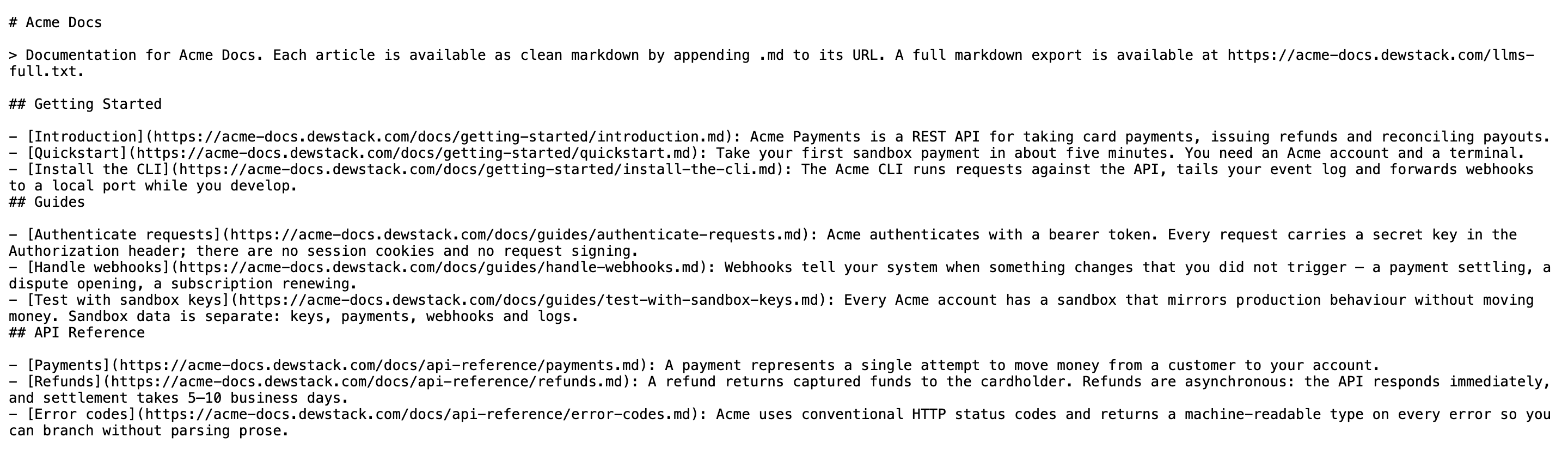
llms.txt is a map, not the content. It opens with your workspace name as an H1, then a blockquote that tells an agent how to read the rest – that appending .md to any URL returns clean markdown, and where the full export lives. After that comes one ## section per collection, in your sidebar's order, listing every published page as a markdown link with a short excerpt.
# Acme Docs

> Documentation for Acme Docs. Each article is available as clean markdown by appending .md to
> its URL. A full markdown export is available at https://docs.acme.com/llms-full.txt.

## Getting Started

- [Install the CLI](https://docs.acme.com/docs/getting-started/install-the-cli.md): Install the Acme CLI with Homebrew on macOS or with the standalone installer on Linux.
- [Authenticate](https://docs.acme.com/docs/getting-started/authenticate.md): Run acme login to exchange your API token for a session that lasts 30 days.

## Hosting

- [Point a custom domain at your docs](https://docs.acme.com/docs/hosting/custom-domain.md): Add a CNAME record at your DNS provider, then verify it from the Hosting panel.
Note that the links point at the .md alternate, not the HTML page. An agent that follows a link straight out of llms.txt gets markdown on the first request.
The excerpt is taken from the start of the page body and truncated to roughly 160 characters at a sentence or word boundary, with bare URLs stripped out. It is not a field you edit – it is your opening sentences. Which is a good reason to make the first sentence of every page say what the page is, as the house rule on answer-first writing suggests.
What is in llms-full.txt
llms-full.txt is the whole thing: the same header, then every published page in sidebar order, each separated by a --- rule and preceded by its title, collection and canonical URL.
# Acme Docs

> Full documentation for Acme Docs.

---

# Point a custom domain at your docs

Collection: Hosting
URL: https://docs.acme.com/docs/hosting/custom-domain

## Add the CNAME record

At your DNS provider, create a CNAME record pointing …
This is the file to hand to anything that wants your documentation as one blob – a fine-tuning corpus, a retrieval index you build yourself, or a long-context model you paste into. For a sizeable docs site it can run to several hundred kilobytes, so it is a poor fit for anything that needs a single page. Use the .md alternate for that.
Which file to point at
| You want | Use |
|---|---|
| An agent to discover what pages exist, then fetch selectively | /llms.txt |
| One page's content | that page's URL + .md |
| The complete corpus in one request | /llms-full.txt |
| Live search and retrieval inside an assistant | /mcp |
Caching and freshness
Both files are served with Cache-Control: public, max-age=600, so a page you publish can take up to 10 minutes to appear in either file. If you have just published and the file looks stale, that is why – wait it out rather than republishing.
Neither file requires an API key. They are public text on a public site, readable by anything that can make an HTTP request.
Limits and requirements
- Public workspaces only. Both URLs return
404 Not Foundfor private and password-protected workspaces, with no partial output. This is the same rule that governs/sitemap.xmland/mcp. - 500 published pages maximum. A workspace with more is truncated at 500; there is no pagination and no warning in the file itself.
- Published pages only. Drafts appear in neither file.
- Cached for 10 minutes.
Everything in these files is public
llms.txt and llms-full.txt expose the full text of every published page as one downloadable document, to anyone, with no key. If a page should not be scrapeable, it should not be published on a public workspace.