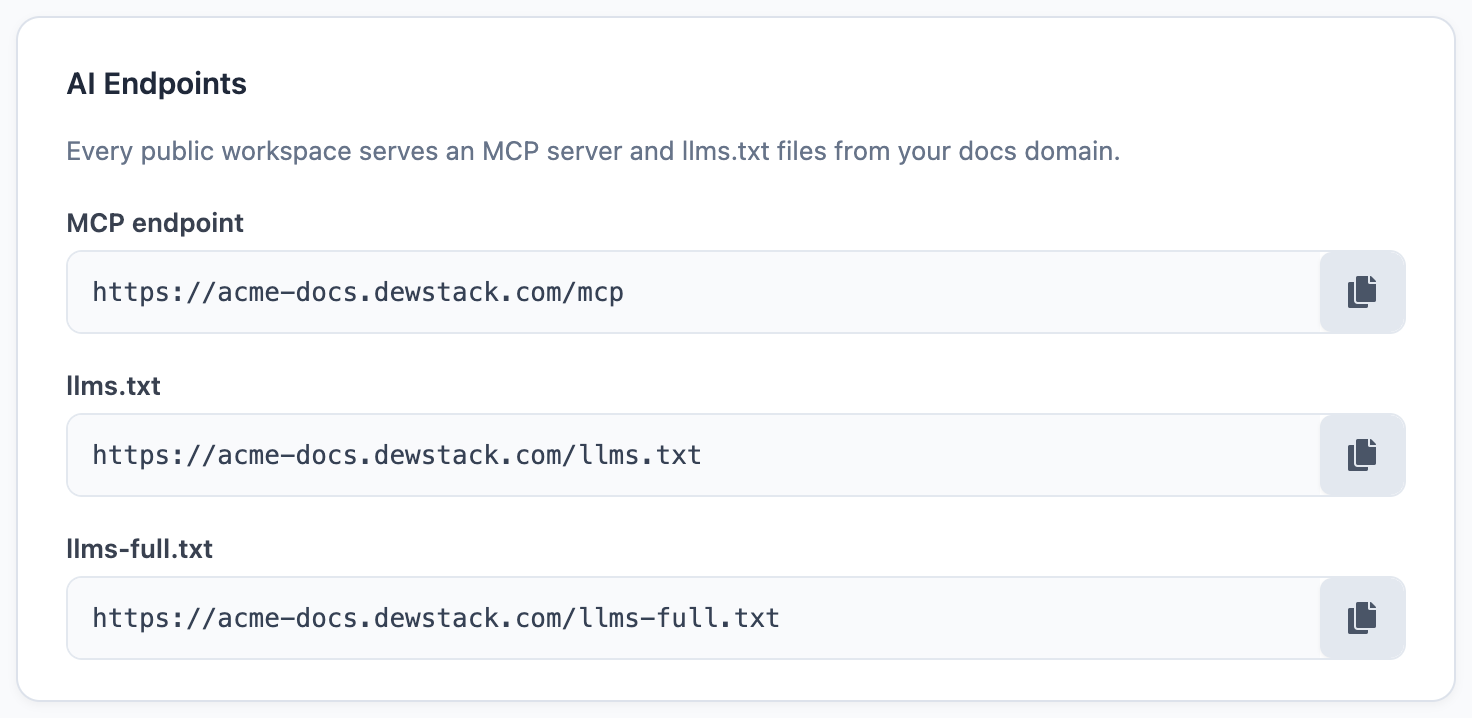
A public Dewstack docs site publishes a second, machine-readable copy of itself alongside the pages people read. No plugin, no build step, no setting to switch on: if your workspace visibility is Public, the machine surfaces are already live.
This matters because a growing share of your readers never arrive. They ask ChatGPT, Claude or Cursor first, and only open your docs if the answer they got was wrong. Whether that answer was right depends entirely on whether the assistant could read your content in a form it understands.
What Dewstack publishes for machines
Six surfaces, all served from your docs host:
| Surface | URL | What it is |
|---|---|---|
| Index for LLMs | /llms.txt |
A titled, linked table of contents with a one-line excerpt per page |
| Full corpus | /llms-full.txt |
Every published page's markdown in one plain-text file |
| Markdown alternate | any page URL + .md |
The same page as clean markdown, with no site chrome |
| MCP endpoint | /mcp |
A live connection an assistant can search and read on demand |
| Structured data | in every page's <head> |
schema.org/Article JSON-LD, plus canonical and Open Graph tags |
| Copy page button | on every article page | Hands the page's markdown to a person or to a chat tool in one click |
Two of these are pull surfaces – /llms.txt and /llms-full.txt are static text files any
crawler or script can fetch. /mcp is the push surface: an assistant you have connected asks a
question, calls search and fetch, and reads only the pages it needs.
Why plain markdown beats HTML for an AI
A rendered docs page is mostly not the documentation. It is navigation, a sidebar, a search box, a cookie banner, a footer. A model reading that HTML spends its context window on your chrome and can mistake a sidebar link for page content.
The .md alternate strips all of it. What comes back is headings, prose, lists, tables and code –
the same text you wrote in the editor. That is why the > line at the top of your llms.txt
tells agents to append .md to any URL they find: it is the cheapest, cleanest read of any page
on your site.
Everything is published-only
Every surface on this page is built from articles with status Publish. Drafts never appear in
llms.txt, never come back from MCP, and have no .md alternate. You can keep drafting in the
dashboard without an assistant picking up half-written pages.
The same rule cuts the other way for private docs. Non-public workspaces get a 404 on
/llms.txt, /llms-full.txt, /sitemap.xml and /mcp, a Disallow: / in robots.txt, and no
Copy page button. There is no partial mode – the machine surfaces are on for a public
workspace and absent for every other kind.
Making a workspace public
Visibility lives under Hosting & Visibility. Switching a workspace to Public turns on every surface described here at once; switching it back turns them all off.
What you still have to do yourself
Dewstack handles the plumbing – the formats, the URLs, the structured data, the sitemap. It cannot make a vague page answer a question. An AI assistant retrieves a chunk of your page, usually one heading's worth, and answers from that chunk alone. Pages written as a narrative that only makes sense from the top do badly; pages where each heading is a question and the paragraph under it is the answer do well.
That is a writing problem, and it is the one thing on this page you own. See answer-engine optimization for what actually changes retrieval.
Limits
- 500 published pages is the cap on
/llms.txt,/llms-full.txtand every MCP read. Larger workspaces are truncated, not paginated. /llms.txtand/llms-full.txtare cached for 10 minutes, so a publish takes up to that long to appear..mdresponses carryX-Robots-Tag: noindex, so search engines index the HTML page and not its markdown twin.
