An API key lets a script, a CI job or an AI agent read your published documentation over HTTP, and, if you choose so when creating it, draft and edit pages too. Keys live in the dashboard under API & Agents, are shown to you exactly once, and are scoped to a single workspace.
You do not need a key to connect Claude, ChatGPT or Cursor to your docs for reading, and you do not need to create one by hand to let a chat app write: approving a write connector creates its key for you. Manual keys are for the REST API and for coding agents that carry a key in their config.
Create a key
- Open API & Agents in the left sidebar and switch to the API keys tab.
- Click Create key.
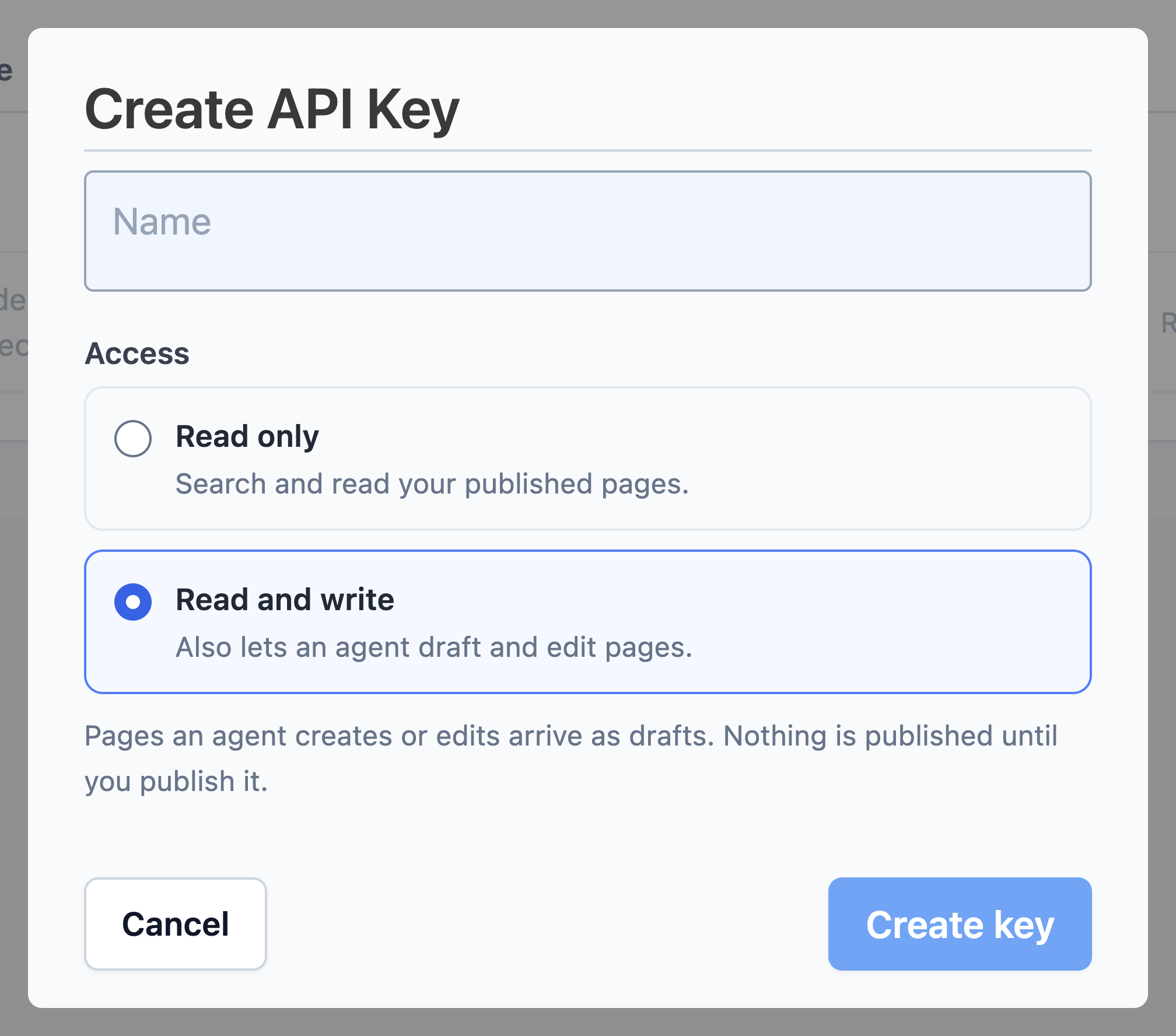
- Give the key a name – something that identifies where it will be used, like
docs-sync-ciorsupport-bot. - Choose its Access: Read only or Read and write. This choice is permanent for the key.
- Copy the key from the dialog and store it in your secret manager.
The full key is shown once, when it is created. Last used is the fastest way to spot a key nothing is calling any more.
Keys are shown once
The dialog says it plainly: "Copy this key now – you won't see it again." Dewstack stores only a hash of the key, so there is no way to recover it later. If you lose a key, revoke it and create a new one.
What a key looks like
A key is the prefix dsk_ followed by 40 hexadecimal characters:
dsk_3f9a1c47e0b28d5641fa9e7c30bd48a2159cd7e0
You send it as a bearer token:
Authorization: Bearer dsk_3f9a1c47e0b28d5641fa9e7c30bd48a2159cd7e0
The key list shows only the first eight characters, which is enough to tell two keys apart when you are deciding which one to revoke.
Read only, or read and write
One key grants access to one workspace – the workspace it was created in – and nothing at all for any other workspace. Within that workspace, the key's scope decides what it can do:
| Scope | What it allows |
|---|---|
| Read only | Search and read published pages, over the REST API and MCP |
| Read and write | Everything above, plus the MCP write tools: create collections, create pages, edit drafts |
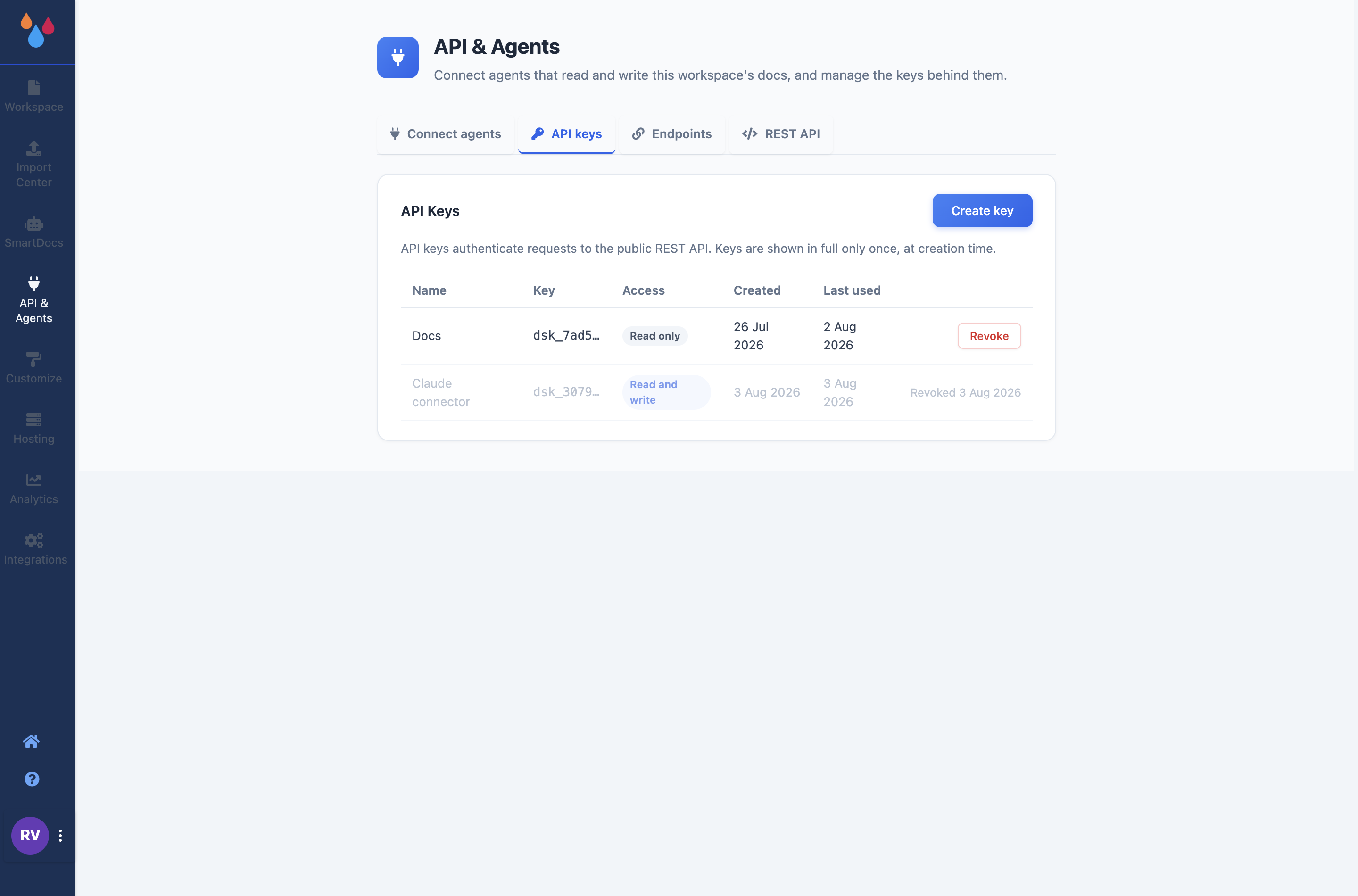
The scope is fixed at creation and can never be widened afterwards: turning a read key into a write key means creating a new key, which keeps the record of which credential did what honest. Every key created before write scopes existed is read only, permanently.
Only published pages are ever returned by reads. Drafts are invisible to the API, so you can keep working in the dashboard without a key-holding integration picking up half-finished pages.
What a write key can and cannot do
A write key lets an agent create and edit pages – and nothing it writes goes live on its own:
- Drafts only, in both directions. New pages arrive as drafts, only draft pages can be edited, and publishing or unpublishing is always a person in the dashboard. There is no setting that changes this.
- Edits keep history. When an agent updates an existing page, the previous version is saved to Page History first, attributed to the key's name, so you can roll back.
- Markup is sanitized on the way in. Script handlers and unsafe embeds are stripped before anything is stored.
- Writes are capped per day. Each key carries a daily write ceiling (500 by default), so an agent stuck in a loop stops on its own.
- Every write is recorded against the key that made it, before the response is returned.
Keys created by approving a chat-app connector appear in this list automatically, named after the app – for example Claude connector – with Read and write scope. Revoking that key disconnects the app immediately.
Rotate and revoke
The key list shows a Last used timestamp for every key, updated on each successful call. That column is how you find out whether a key is still wired into something before you remove it – a key that has not been used in months is safe to revoke.
Click Revoke on a key's row and confirm. Revocation takes effect immediately: the next request using that key gets 401 Invalid or revoked API key. Revoking is not reversible, but it also does not affect any other key, so the safe rotation order is:
- Create the replacement key.
- Deploy it to the integration.
- Watch Last used on the old key stop moving.
- Revoke the old key.
Who can manage keys
Creating keys, revoking keys and approving agent connections are for the account Owner and Admins only – the Manage SmartDocs permission. Creators and Editors keep their normal workspace access, but granting an outside credential access to the docs is an administrative decision, so those controls are not theirs.
Limits and plan requirements
| Limit | Value |
|---|---|
| Rate limit | 60 requests per 60 seconds, per key |
| Articles per response | 500 |
| Content returned by reads | Published pages only |
| Scope | One workspace per key; read only or read and write, chosen at creation |
| Writes per key | 500 per day |
The API & Agents sidebar entry is hidden without a subscription unless you are in a trial, and for team members without the Manage SmartDocs permission. If you cannot see it, that is why.
