The January release was about closing the loop. You could publish documentation, but you could not easily tell which pages were working, what people searched for and did not find, or what they asked your AI assistant when the docs came up short. And writing a how-to page still meant taking your own screenshots, one at a time.
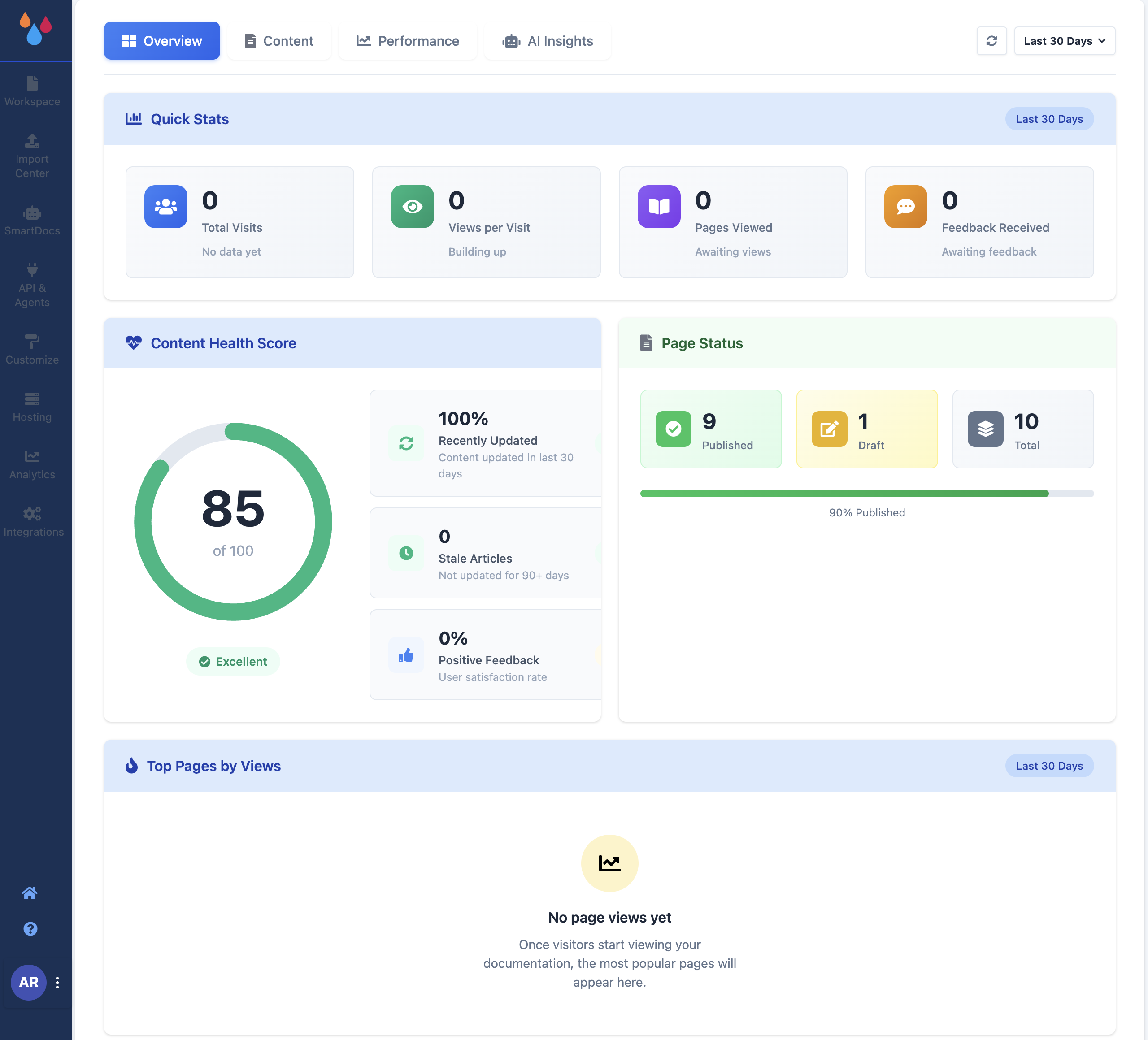
Improved Analytics rebuilt around four tabs. The dashboard now separates Overview (visits, content health, page status, top pages), Content (what readers searched for and what they clicked), Performance (content trends and feedback), and AI Insights (what readers asked your assistant, and how often it had no answer). How many tabs you see and how far back the data goes depends on your plan. Analytics and Analytics by plan.
New FlowCapture, a Chrome extension that writes how-to pages. Record yourself doing a task once and Dewstack turns the recording into a step-by-step page – one screenshot and one written step per click, plus an overview, prerequisites and a troubleshooting section. Captures land under FlowCapture in the sidebar for review before anything is published. Available on every current plan and during a trial. What is FlowCapture.
New A built-in image editor. Click an image in the editor and choose Advanced Edit to crop it, draw a highlight box and add arrows before it goes into the page. The same editor opens on FlowCapture screenshots from the review screen, so an annotated walkthrough never has to leave Dewstack. Image editor.
Improved Trials that show you the whole product. New accounts start on a trial with full access, and the trial deliberately runs deeper than the plan being trialled – analytics at Pro depth, 100 page revisions, and collection access, password protection, Page Assist and Import Center connections all unlocked. The banner counts down the days remaining. Subscription and billing.
Custom domains survive a lapsed subscription
Also from January: if a trial ends without a subscription, your custom domain is switched off but the value is kept, and restored if you subscribe later. You do not have to set it up again.
Performance and fixes
- New Reader searches are now recorded, which is what makes the Content tab able to show you the queries that returned nothing.
- New SmartDocs answers carry a confidence score, so AI Insights can separate a confident answer from a guess and count the times your assistant had nothing useful to say.
- Fixed Custom domains are no longer lost when a trial lapses. The value is kept and restored on subscribing rather than cleared.
- Perf The analytics dashboard loads its tiles independently, so the Overview tab is usable before the slowest chart has finished.
