The premise of this release is that a reader is now just as likely to be Claude, ChatGPT or Cursor as a person with a browser, and that neither should get a worse answer than the other.
New An MCP endpoint on every public docs site. Every
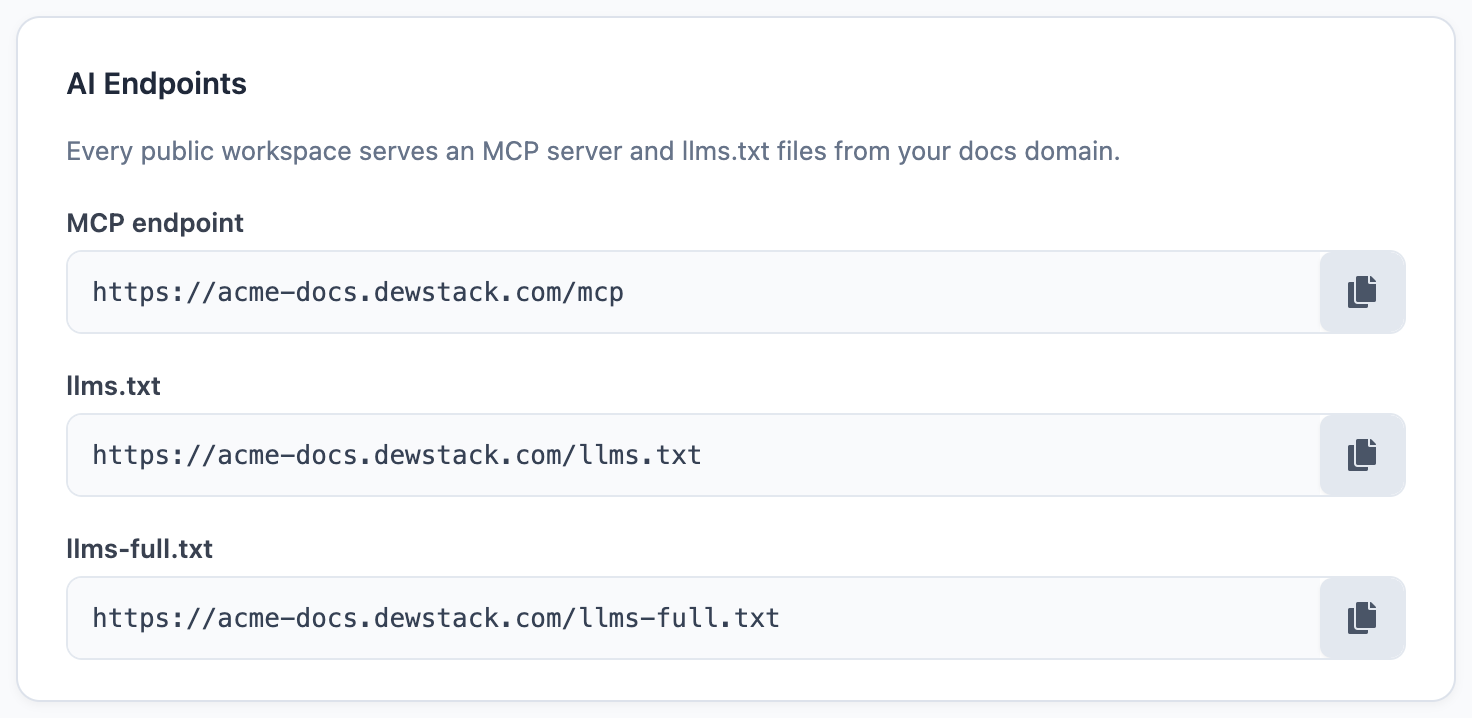
public workspace now serves an MCP endpoint at /mcp – MCP, the Model Context Protocol, being the
standard way an AI assistant connects to an outside source of information. Point Claude, ChatGPT or
Cursor at it and the assistant searches and reads your real documentation instead of recalling
whatever it saw during training. No key, no authentication, and reads do not spend SmartDocs message
credits. Connect an AI assistant.
New An AI-ready surface, with nothing to configure.
Dewstack publishes llms.txt and llms-full.txt at your docs root, serves a markdown alternate for
any page by appending .md to its URL, and puts a Copy page button beside each article title
with options to view the markdown or open the page straight in ChatGPT or Claude. It is all live the
moment your workspace is Public. AI-ready docs.
New API keys and a public REST API. Create a key under API & Agents and read your published documentation over HTTP – list pages, fetch one as markdown, or ask a question. A key is scoped to a single workspace, shown to you exactly once, and revocable at any time. See API keys and the REST API.
New Spaces and tabs. A space is a named group of collections that renders as a top-level tab on your docs site, each tab carrying its own sidebar – so a product manual and an API reference can live on one site without crowding each other. Build them in Customize → Spaces (Tabs); the tab row appears automatically once you have two. Spaces and tabs.
Reorganising into spaces costs you nothing
Public URLs carry no space segment – the collection slug and the page slug are the whole path. You can restructure a live docs site into spaces without changing a single URL or setting up one redirect.
New A fourth theme. Theme 4 joins the three you already had. It moves navigation to the right of the header alongside the search box and a call-to-action button, uses a light left-aligned hero instead of the dark backdrop the others share, and lists collections as rows rather than a card grid. Pick it under Customize → Theme. Themes and dark mode.
Improved A preview beside the settings. Customize now shows a preview pane carrying your theme, colours, fonts and page-feature toggles – so you can judge a change without leaving the page or publishing to find out.
New Dark mode for readers. Every theme has a dark-mode toggle in the site header. The reader's choice is remembered between visits, their system preference is honoured on a first visit, and there is no flash of the wrong theme on load. Nothing to switch on.
Improved A "Last updated" toggle. Show or hide the "Last updated" date under each page title, from Customize → Page Features. It is on by default, so this is the switch to find if you would rather not date your pages. Page features.
Improved A rebuilt icon picker for collections. Collection icons are not new, but choosing one is. The picker now offers a built-in set, an upload for your own artwork, and an Auto option that derives an icon from the collection's name. Manage a collection.
Performance and fixes
- Fixed Link, image and table dialogs in the editor could open off-screen on any page long enough to scroll, because the dialog was positioned without accounting for how far the page had been scrolled. They now anchor to the text you clicked.
- Fixed Disabling a workspace now takes its public site and its AI endpoints down together. Previously the machine-readable surfaces could keep answering after the site itself had stopped.
- Perf
llms-full.txtis generated once per publish and cached rather than rebuilt on every request, which is what made it slow on large workspaces. - Perf Reader search returns first results noticeably faster on workspaces with several hundred pages.
