Your Dewstack profile holds two things you can edit: your Name and your password. Everything else about your account – your email address, your plan, your team – is changed somewhere else or not at all.
The Profile page is at /profile, reached from the avatar in the bottom-left corner of the
dashboard.
Open your profile
Click the round initials avatar pinned to the bottom-left of the sidebar. The menu that opens upward contains, in order:
- Profile
- Support
- Subscription – only if your role includes the manage subscription permission
- Team – only for the Owner of a team on a paid plan
- Admin Panel – Dewstack staff only
- Logout
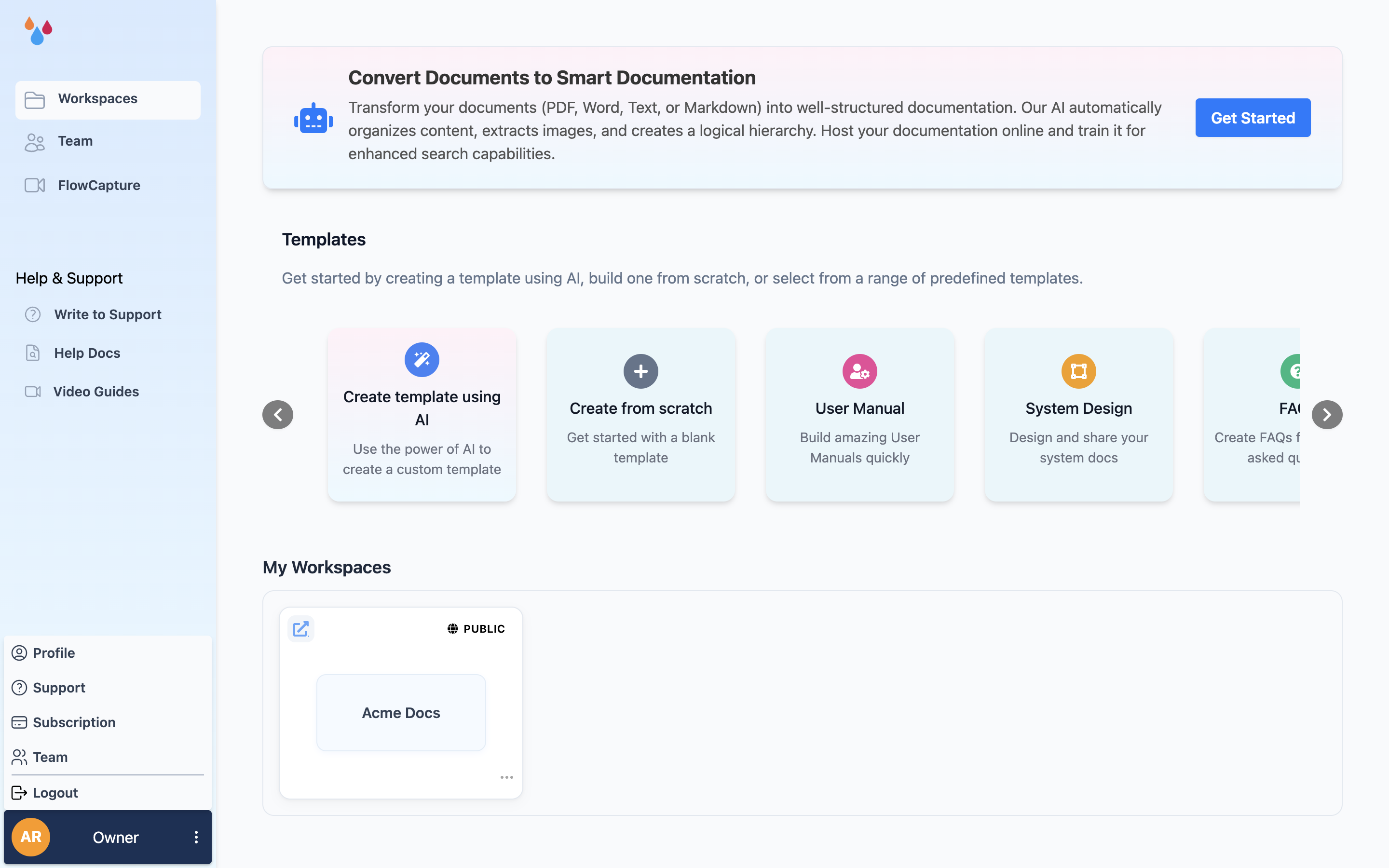
Select Profile.
Change your name
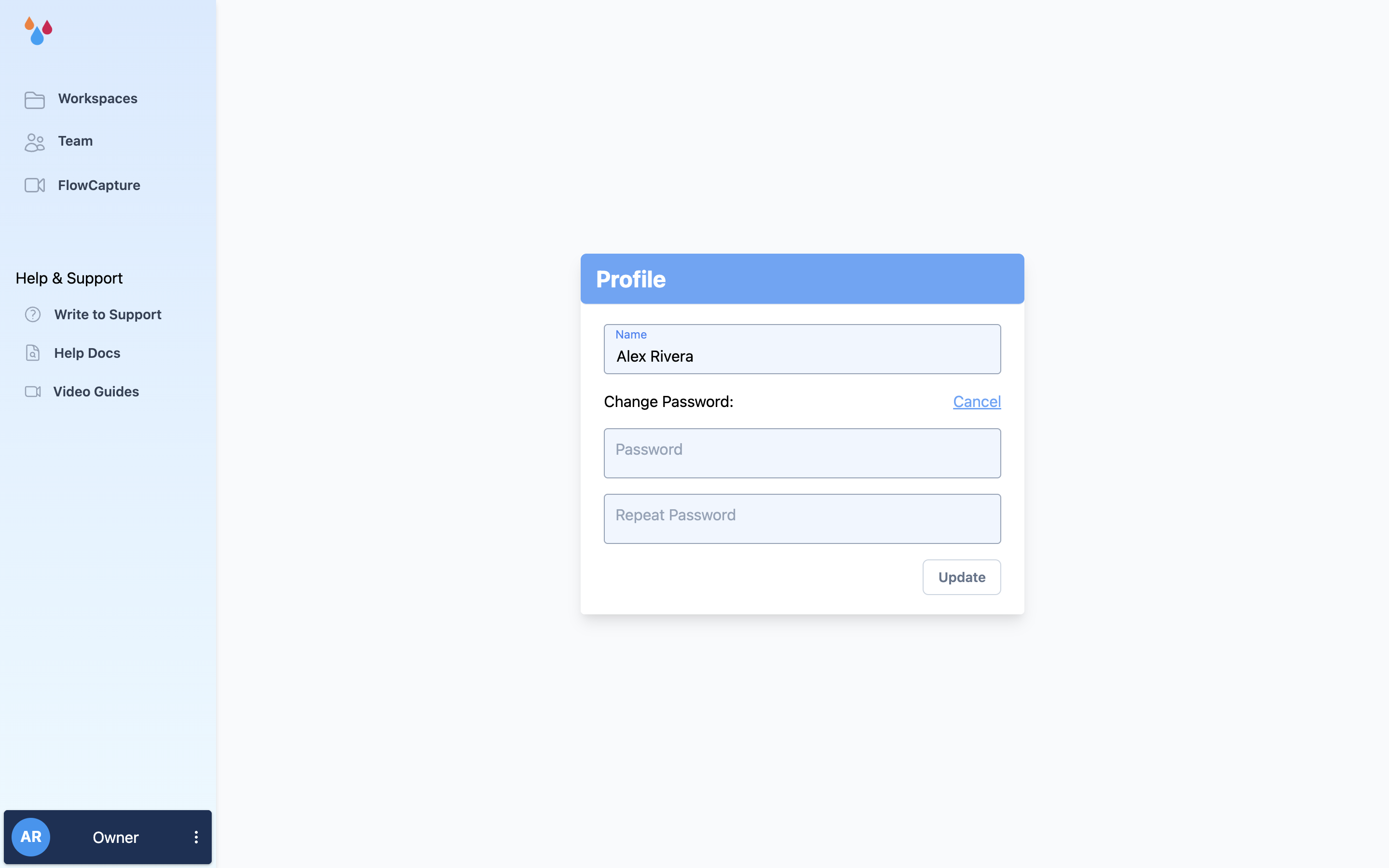
The Profile card has a single Name field – one combined field, not separate first and last names. Edit it and click Update. A green toast confirms with "Account updated."
Your name is what other members of your team see, and its first letters are what Dewstack draws in your avatar.
Change your password
Password change happens inline on the same page, not in a separate dialog.
- Open Profile from the avatar menu.
- Click the Change Password? link. Two fields slide open.
- Enter the new password under Password, then type it again under Repeat Password.
- Click Update.
The only rule is length: "Password must be at least 8 characters." There is no requirement for uppercase letters, digits or symbols. Dewstack does not ask for your current password here, so anyone with an open, logged-in session can set a new one.
Your existing session is what authorises the change
Because no current password is required, treat a signed-in Dewstack tab on a shared machine as full account access. Use Logout when you step away.
If you have forgotten your password and cannot sign in, use the reset link on the login screen instead – that flow emails you a token and is separate from this page.
What you cannot change here
Your email address. There is no email field on the Profile page, and the update endpoint accepts only name, password and password_repeat – so email cannot be changed from the dashboard at all. Your email is set at signup and confirmed by a link Dewstack emails you; login is blocked until you confirm it. If you need an account moved to a different address, contact support from the address currently on the account.
Your avatar. The avatar is generated from the initials of your name – the first letters of the first two words – on a coloured tile. Changing your Name is the only way to change it.
Your account itself. There is no "Delete account" or "Close account" control anywhere in the dashboard. Cancelling your subscription on the Subscription page stops billing but does not remove the account or its content. To have an account and its workspaces removed, email support – deletion is handled by the Dewstack team, not from the dashboard. Export anything you want to keep first; see Export a workspace.
Log out
Logout is the last item in the avatar menu. It ends your session on the server and returns you to the login screen. It logs out this browser only – it does not sign you out of other devices, and there is no "sign out everywhere" control.
