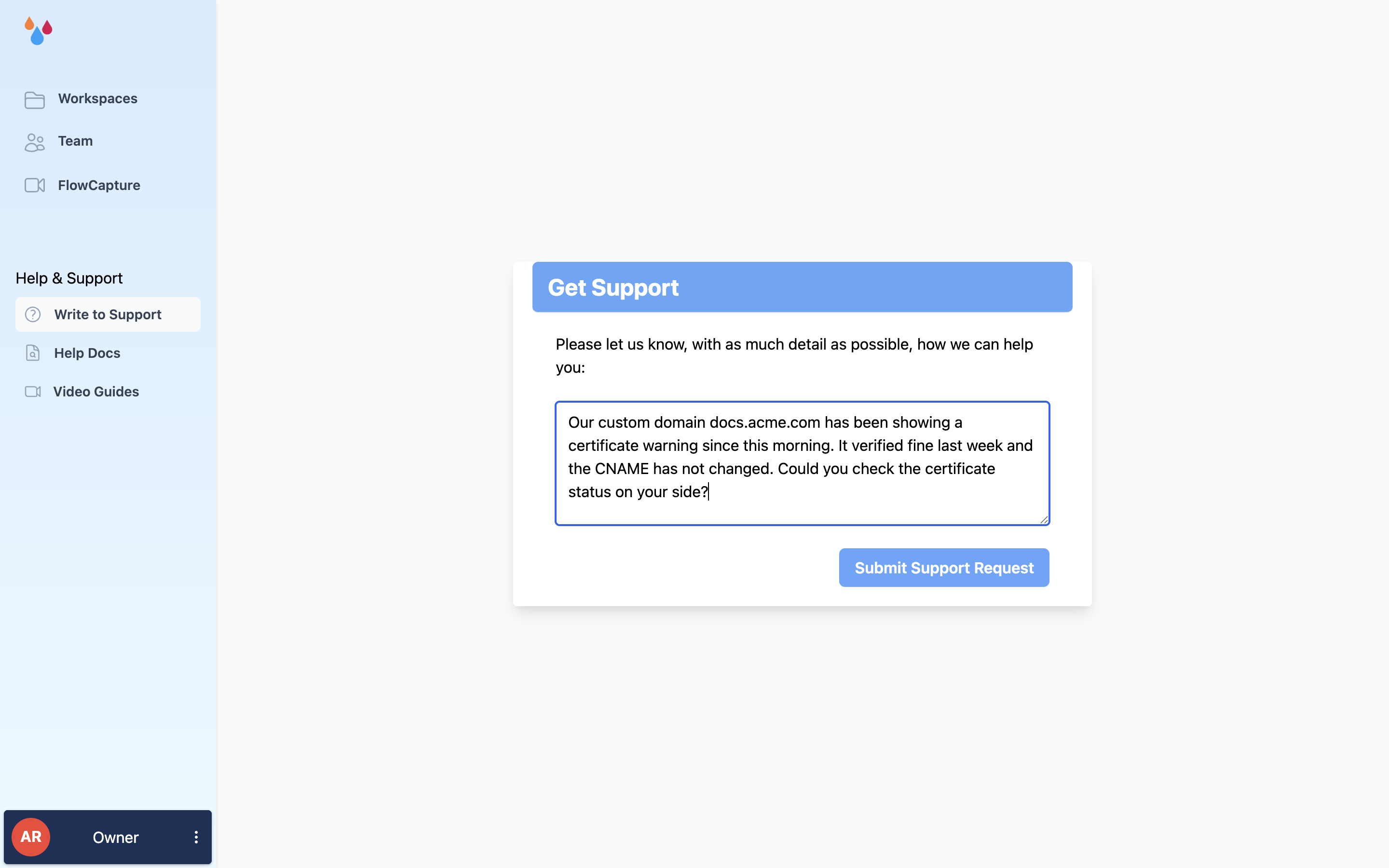
Dewstack has a support channel built into the product: a form at /support that emails the Dewstack team. Reach it from Write to Support under the Help & Support heading in the sidebar, or from Support in the avatar menu at the bottom-left of the dashboard.
Send a support request
The page is headed Get Support and asks one thing: "Please let us know, with as much detail as possible, how we can help you:" Below it is a single free-text box, then Submit Support Request. The button stays disabled until you type something.
The form has no subject field, no category picker and no file upload, so everything has to go in the message body. Include:
- What you were doing, and the URL of the page or workspace it happened on.
- The exact error text, pasted rather than described.
- Your plan name if the question is about a locked or missing feature – most "the button isn't there" reports turn out to be plan gates.
Dewstack sends your name and the email address on your account along with the message, so you do not need to repeat them. After you submit, a toast confirms "Support request sent. We'll get back to you ASAP!" and you are returned to the dashboard. The reply comes by email.
If you would rather not use the form – you cannot sign in, say – email support@dewstack.com directly. Include the workspace URL you are asking about; the form attaches it for you, an email does not.
Search these docs first
This site is the documentation, and it is searchable. Two shortcuts worth knowing:
- The Help Docs link, directly below Write to Support in the dashboard sidebar, opens
docs.dewstack.comin a new tab. - Ask the SmartDocs assistant on this site. It answers from these pages rather than from a general model, so it will cite where an answer came from. And when the docs do not cover it, it will ask for your details and escalate it to our support. SmartDocs is the same feature you can add to your own docs – see What is SmartDocs.
If you are new, Frequently Asked Questions covers the things people write to support about most.
