Dewstack can pull content you have already written into a workspace: a Markdown or Word file, a PDF, an HTML file, a spreadsheet, a zip of several files, a live web page, or an export from Notion or Google Docs. Import happens from inside the workspace editor and drops the content straight onto a page.
This page covers importing into an existing workspace. Two related things live elsewhere: the Import Center is a document library that also feeds SmartDocs training, and Create a new workspace covers building an entire workspace from one PDF or Word file.
Where to start an import
There are two entry points inside the editor:
- Import Content, in the actions bar on the right of the editor. This imports into the page you currently have open.
- Import Page, on a collection's ⋮ menu. This appears only if you have a subscription.
Both open the same dialog – Import your content – with the instruction "Choose a file type or platform and import your content to this page".
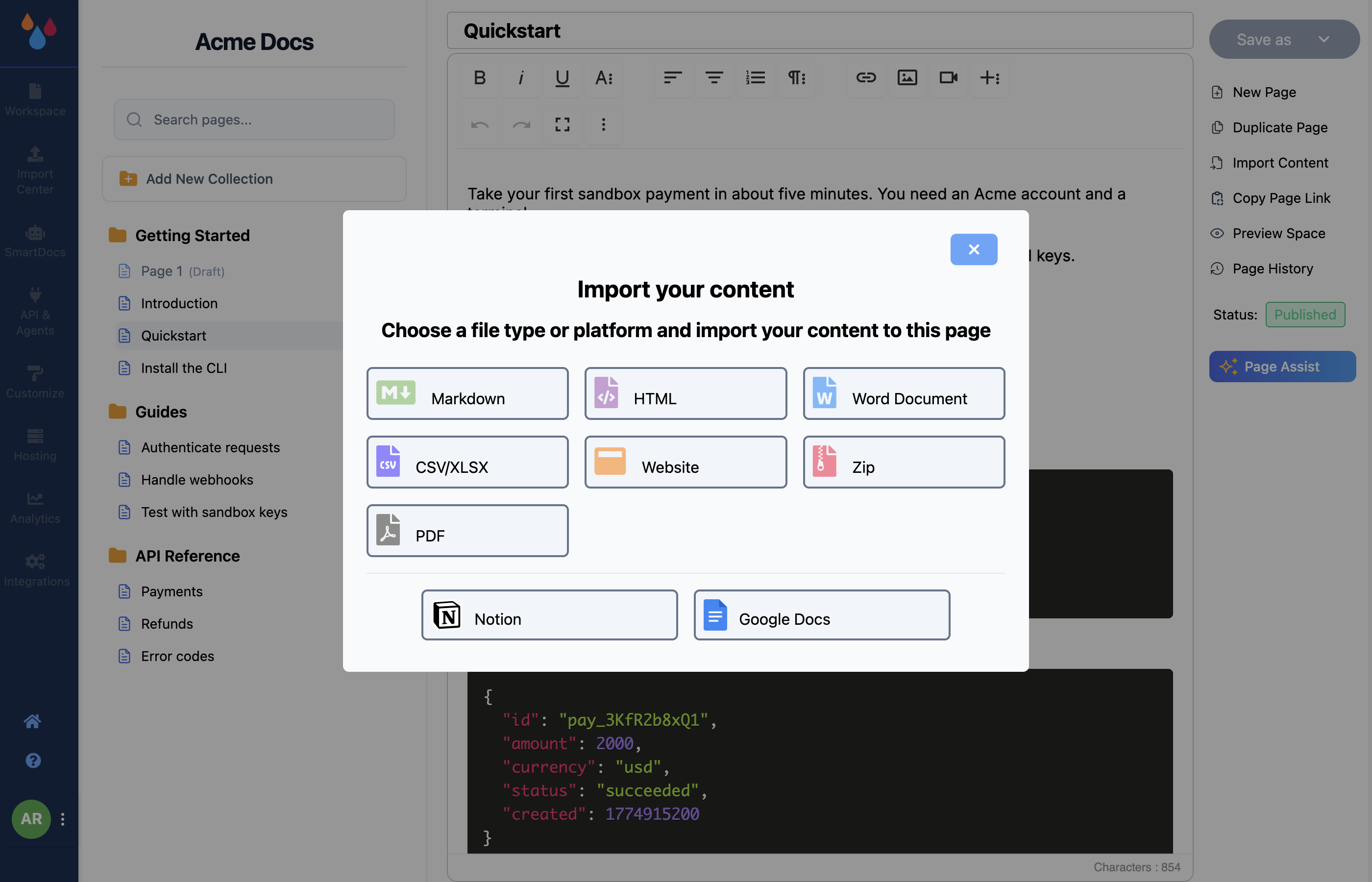
A single-file import replaces the open page
Importing one file overwrites whatever is in the page you have open and saves it as a Draft. It does not append, and there is no undo prompt. Create an empty page first and import into that. (You can still recover the previous version from Page History if your plan includes it.)
Imports that contain several documents – a zip, or a CSV/XLSX with one row per page – behave differently: they create multiple new pages inside the collection instead of overwriting one.
What you can import
| Source | What you upload |
|---|---|
| Markdown | A .md file |
| HTML | An .html file |
| Word Document | A .docx file |
| CSV/XLSX | A spreadsheet, one page per row |
| Website | A URL – the dialog is Import a Webpage, placeholder "Please enter the URL e.g https://xyz.com" |
| Zip | A .zip of several documents |
A .pdf file |
|
| Notion | Export the Notion page as Markdown, then upload the .md |
| Google Docs | In Google Docs choose File → Download → Microsoft Word (docx), then upload the .docx |
Notion and Google Docs are not live connections – they are instructions for producing a file Dewstack already reads. There is no OAuth step and nothing stays in sync afterwards. For live connections to Google Drive, Notion, GitHub, Confluence, Jira or Dropbox, use the Import Center.
Zip imports
Zip is the way to bring in a batch of pages at once. The dialog states the constraints, and they are enforced:
- Maximum zip file size: 20mb
- File limit: 10 files
- Allowed file types inside the zip:
.md,.docx,.html - All files must sit in the root of the zip, not in subfolders
Each file becomes its own page in the collection. Folder structure is not turned into page nesting – arrange the pages in the sidebar afterwards.
Limits and plan requirements
CSV/XLSX, Zip and PDF are marked with a padlock and open an upgrade prompt instead of the importer unless you are on Pro, Premium or Enterprise, or in an active trial. Markdown, HTML, Word Document, Website, Notion and Google Docs are available on every plan.
Import Page on a collection menu is only rendered for accounts with a subscription; the Import Content action in the editor is the route to use without a paid subscription.
