Exporting turns a whole workspace into a single file you can keep, archive or hand to someone outside Dewstack – as a PDF, a zip of HTML files, or a CSV. The export runs in the background: you don't wait on the page, you get an email with a download link when it's done.
Export a workspace
- Go to My Workspaces.
- Open the ⋮ menu on the workspace card and click Export Workspace.
- Choose PDF, HTML or CSV.
- Click Export.
The dialog confirms the arrangement up front: "Confirm export of the workspace. You will receive an email with a link to the exported file upon completion." You can close it and carry on working – the toast "Workspace export started. You will get an email shortly" is the last you'll see of it until the mail arrives, with the subject Your Exported Workspace!
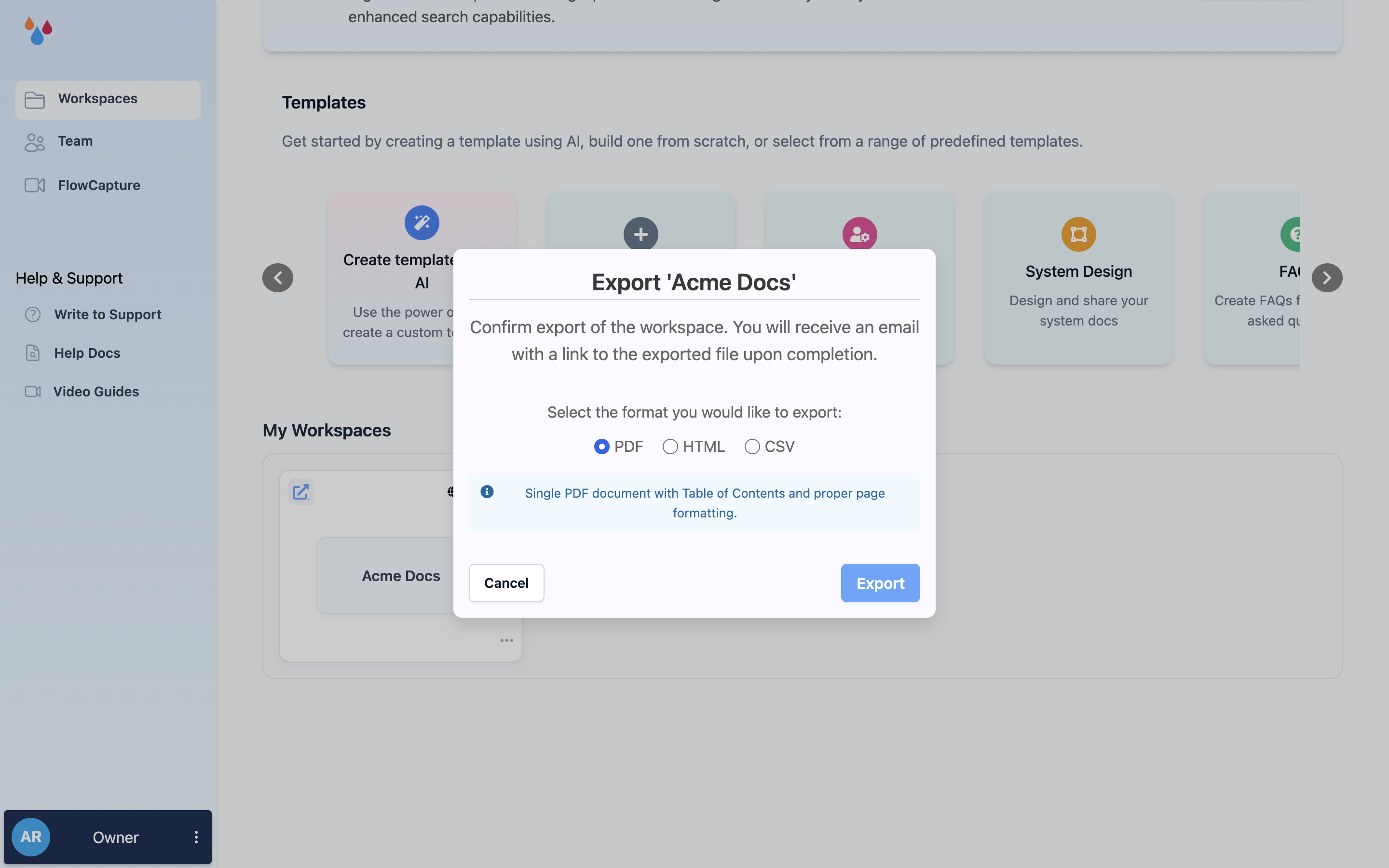
Choosing a format
| Format | What you get |
|---|---|
| "Single PDF document with Table of Contents and proper page formatting." | |
| HTML | "ZIP file containing individual HTML files organized by collection folders." |
| CSV | "Single CSV file with all pages and their content for easy data import." |
Pick by what you're going to do next:
- PDF for something a person will read or print – a manual to attach to an email, a snapshot for an audit.
- HTML if you want the content back as files, one per page, still grouped by collection. This is the format to take if you are moving off Dewstack or feeding a static site generator.
- CSV if you want the content as data – one row per page, content in a column – for a spreadsheet, a bulk find-and-replace, or an import into another tool.
The download link expires
The email contains a signed download link that is valid for 24 hours. After that it stops working and you have to run the export again – which is free and takes no longer the second time. Download the file and put it somewhere durable rather than treating the email as your archive.
An export is not a backup you can restore
Dewstack cannot import an export back into a workspace. A PDF, HTML zip or CSV is a copy of your content for use elsewhere; it will not rebuild your collections, page tree, theme or settings. If what you want is a restorable copy inside Dewstack, use Duplicate Workspace instead – and do it before you delete anything.
Drafts are included. All three formats export every page in the workspace, whatever its status – so an export is a complete copy, not a snapshot of your live site. If you are sending an export to someone outside your team, check it for unfinished pages first.
