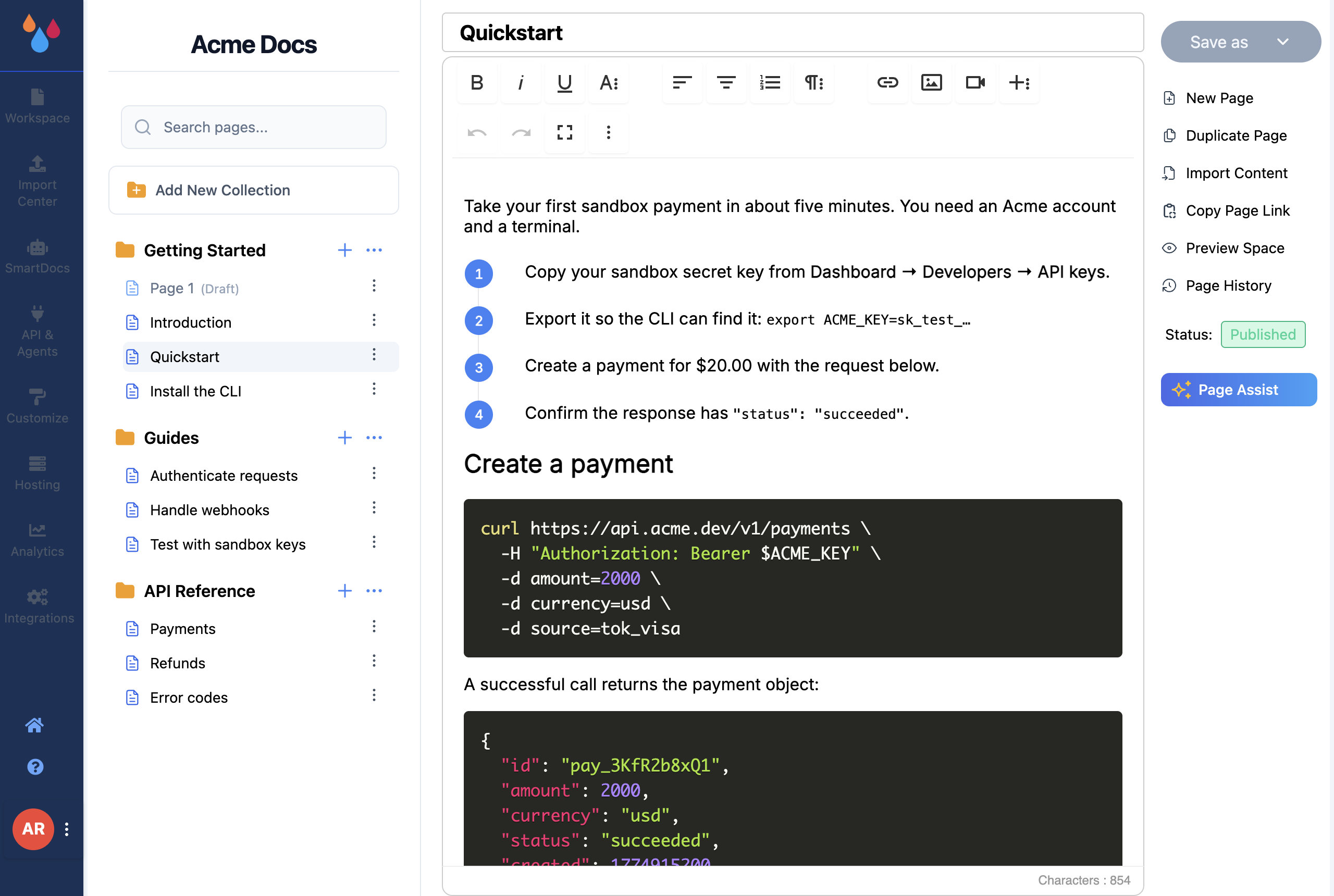
Once you sign in to Dewstack you are looking at two things: the workspaces list, and – as soon as you open a workspace – a narrow icon sidebar down the left. Everything in the product is behind one of those sidebar entries, and each one applies to the workspace you currently have open.
This page is the map: what each entry is for, and when you would actually go there.
The workspaces list
The home icon at the bottom of the sidebar takes you back to the list of your workspaces, under the heading My Workspaces. Each workspace is one documentation site. This is also where you create workspaces, and where each workspace card's ⋮ menu holds Edit Workspace, Assign Workspace, Duplicate Workspace, Export Workspace and Delete Workspace.
Start at Create a new workspace.
What each sidebar entry is for
- Workspace – the editor. Collections, the page tree, the writing surface, and the actions bar with Save as, Import Content, Copy Page Link, Preview Space, Page History and Page Assist. This is where you'll spend most of your time. See Understanding your workspace interface.
- Import Center – a document library that sits beside your docs. Upload PDFs, Word files, text or Markdown once, then reuse each document either in your documentation or as SmartDocs training material. See Import Center overview.
- SmartDocs – the AI layer on your published site: the chatbot, "Ask a Question", and the training set that answers get drawn from. See What is SmartDocs.
- API & Agents – the read API keys, the MCP URL for Claude/ChatGPT/Cursor, and the other machine-readable endpoints for this workspace. See Connect an AI assistant and API keys.
- Customize – everything about how the site looks: theme, logo and favicon, fonts, landing page, sidebar colours, header and footer, SEO, cookie banner, and Spaces (Tabs). Changes save immediately, and a preview pane beside the controls shows them applied to a sample page. See Customize your docs site.
- Hosting – the page is titled Hosting & Visibility. Your
*.dewstack.comsubdomain, your custom domain, and whether the site is Public, Private or password-Protected. See Access and content sharing. - Analytics – visits, page views, top and stale pages, search queries, feedback and AI conversation stats for this workspace. See Analytics.
- Integrations – third-party connections: Google Analytics, chat platforms, Slack, and a custom script embed. See Integration with Slack.
Entries you may not see
Dewstack removes sidebar entries rather than greying them out, so a missing entry is normal, not a bug. Two things decide what you get: your plan and your role.
| Entry | When it is missing or locked |
|---|---|
| Import Center, SmartDocs, API & Agents | Removed entirely if you have no subscription, unless you are in an active trial |
| Analytics, Integrations | Shown with a padlock and an upgrade prompt if you have no subscription, and on Starter – again, not during a trial |
| Customize | Removed for roles without the Customize Workspace permission |
| Hosting | Removed for roles without the Hosting Workspace permission |
| Analytics, Integrations, SmartDocs, API & Agents | Also removed for roles without Analyse Workspace, Integrate Workspace and Manage SmartDocs respectively |
An active trial gives you the higher-tier sidebar. When the trial ends, entries disappear again – your content is untouched, you just lose the tools.
The account menu
The avatar at the very bottom of the sidebar opens your account menu, which is about you and your subscription rather than about one workspace:
- Profile – your name, email and password. See Profile.
- Subscription – plan, billing and upgrades. See Subscription.
- Team – invite members, set roles, and see pending invites. This entry only appears if you are the account Owner on a paid plan. See What is team support.
- Support – how to reach the Dewstack team. See Support.
Workspaces themselves are handed to team members from the workspaces list, not from this menu – that's Assign Workspace on the workspace card's ⋮ menu (Assign workspace).
