Dewstack keeps a versioned copy of a page's content every time it is saved, and Page History in the editor's right-hand panel lets you read those versions and restore one. How many versions it keeps depends on your plan, and without a subscription the button is locked.
Open the revision panel
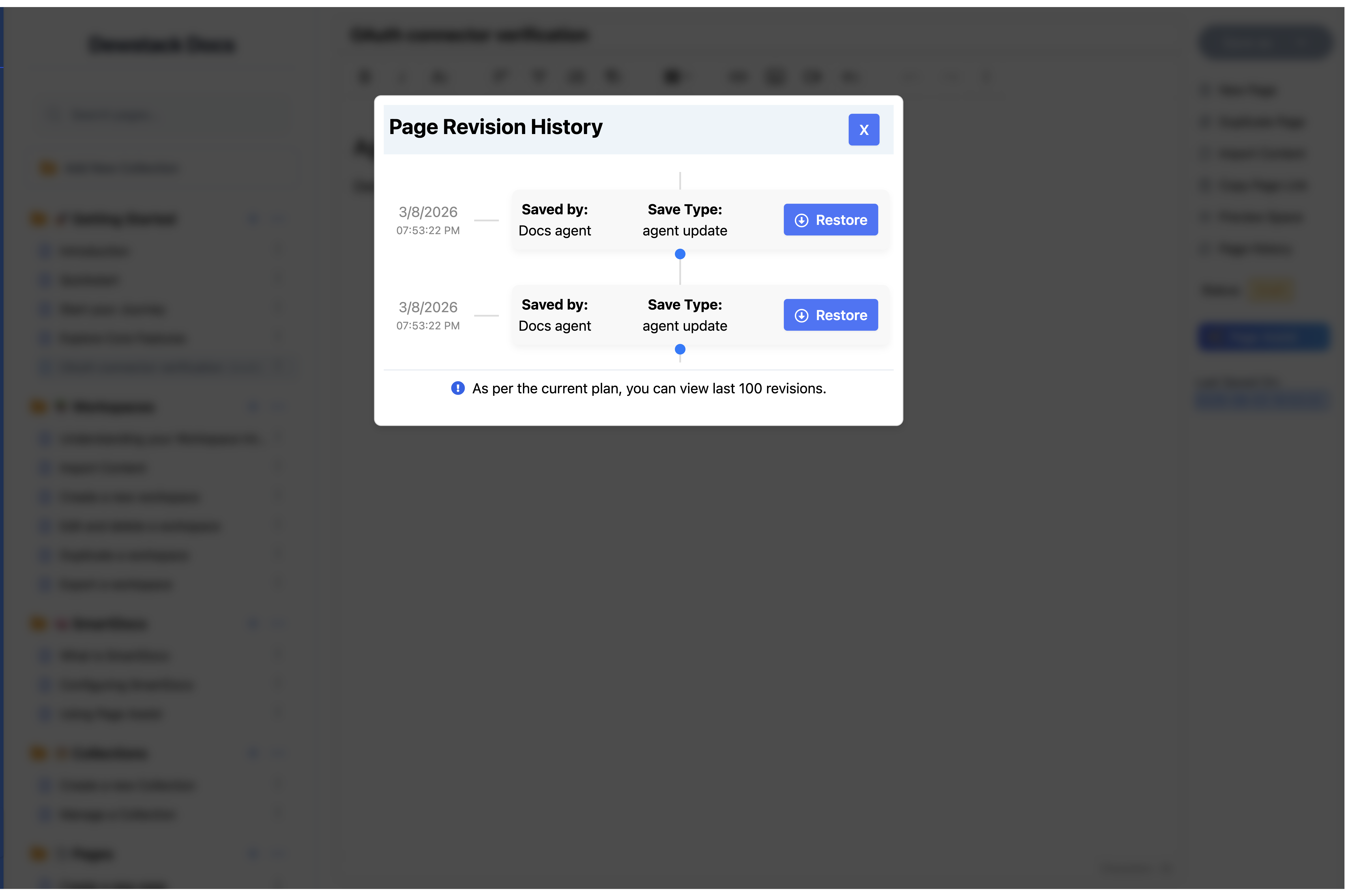
Click Page History in the right panel of the editor. A panel titled Page Revision History opens over the editor, listing revisions newest first as a timeline. Each entry shows:
| Field | What it tells you |
|---|---|
| Date and time | When that version was saved |
| Saved by | The team member who saved it – or, for agent edits, the name of the key or connection that made them |
| Save Type | Manual if someone clicked Save as, Auto if autosave wrote it, agent update if an agent edited the page |
| Restore | Loads that version back into the editor |
If the page has never been saved twice, you get "No revision history found." At the bottom of the list, Dewstack states your allowance: "As per the current plan, you can view N revisions."
Restore loads the old version into the editor. It is not saved until you save it.
Auto entries only exist if you have switched autosave on in Customize → Auto-Save Option – see Save and Publish a Page. With autosave off, every revision in the list is a Manual one.
Agent edits create revisions too
When a connected agent edits a draft, the version it is replacing is saved to history before the edit is applied – automatically, whether or not autosave is on. The entry is attributed to the connection's key name, so the timeline reads honestly: Claude connector – agent update. Restoring works exactly as for any other revision, which means an agent edit is never a one-way door.
Restore a previous version
Click Restore on the revision you want. The panel closes and the editor content is replaced with that version.
Restoring does not save. The restored version is sitting in the editor, unsaved, exactly as if you had pasted it in. To keep it you must click Save as → Draft or Save as → Publish. Until you do, your docs site still shows whatever was published before.
Restore replaces the whole page body
Anything in the editor that is not in the revision you picked is overwritten. Restore is all-or-nothing – there is no per-section merge and no diff view. If you are unsure, copy your current content out first.
How many revisions each plan keeps
Once a page hits its limit, the oldest revision is dropped to make room for the newest – one per save, so a downgrade drains the list gradually rather than truncating it at once. Agent revisions count against the same allowance.
| Plan | Revisions kept |
|---|---|
| No subscription | None – the button is locked |
| Starter | 50 |
| Pro | 100 |
| Free trial | 100 |
| Premium, Enterprise | Unlimited |
Say that first row plainly: without a subscription Page History shows a padlock and clicking it opens an upgrade prompt rather than the panel. No revisions are recorded either, so subscribing starts the history from that moment – it does not recover versions from before.
A free trial gets Pro-level history, 100 revisions, for the length of the trial.
