A page is a single document in your docs: a title, a body, and a URL made from its collection's slug plus its own. Every page belongs to exactly one collection, so you create a page from a collection – or from another page, if you want it nested underneath.
New pages always start as Draft, which means nobody but you can see them until you publish.
Create a page in a collection
- In the workspace editor sidebar, hover the collection and click the ⋮ menu.
- Click New Page. A row named untitled appears in the collection and the editor opens.
- Replace the title in the Enter Title field at the top.
- Write the body, then click Save as and choose Draft or Publish.
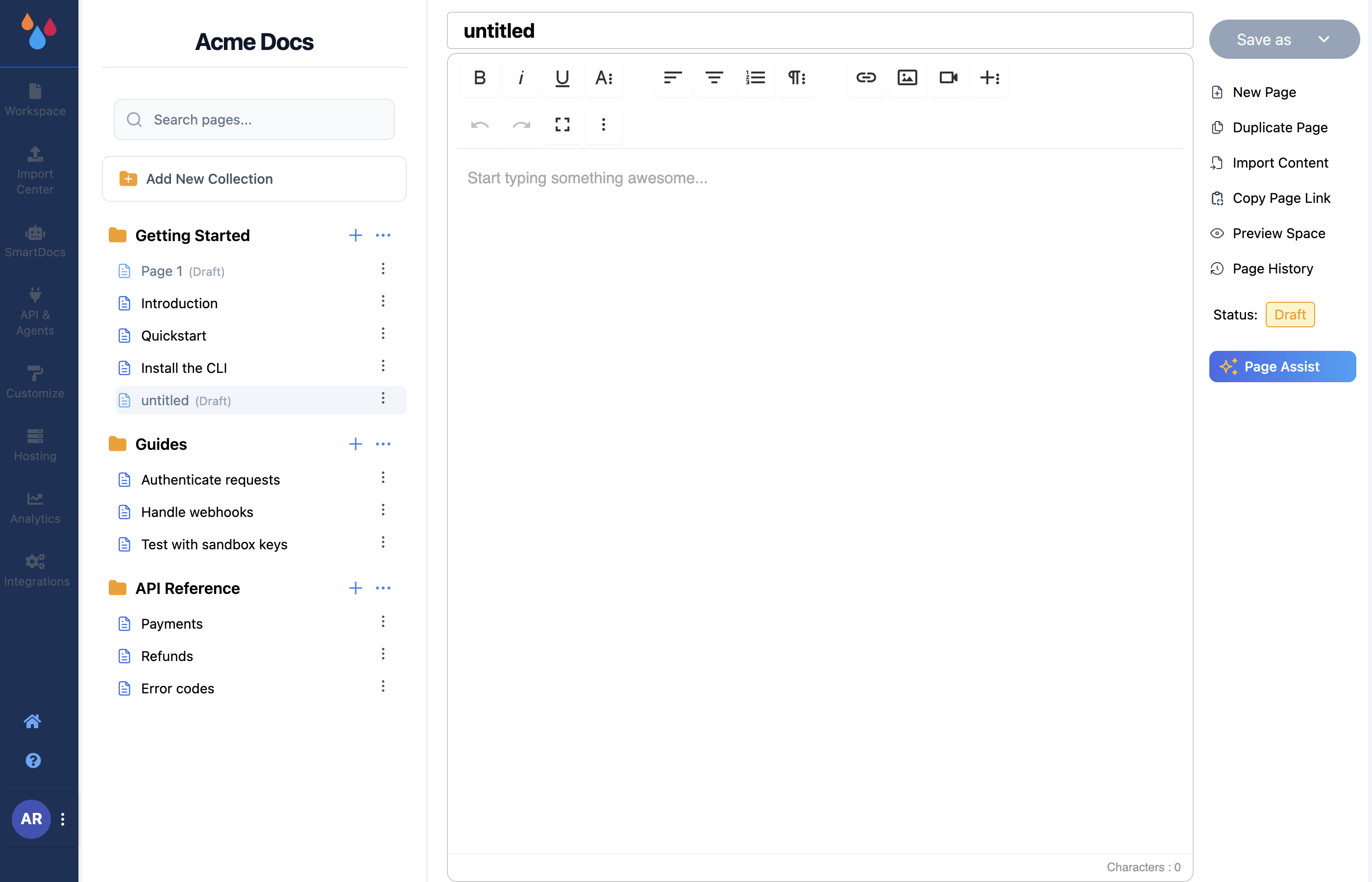
Create a child page from a page row
To nest a page under an existing one, open the ⋮ menu on the parent page's row and click New Page there. The new page is created as a child of that row rather than as a sibling.
The item only appears on rows that can take children, so if you don't see New Page in a page's menu, you are looking at a row that can't be a parent. You can also nest an existing page later by dragging it – see Edit and Manage a page.
What "untitled" means
Both routes create the page immediately, named untitled, with a slug like untitled-3 and status
Draft. That is a real, saved row in your sidebar, not a placeholder – which has two consequences:
- Dewstack will not let you drag anything until it is saved. With an untitled page in the workspace, moving a page or collection is blocked with "Unable to move the Collection or Page!" Save the page as a draft first.
- Renaming the page does not rename its slug. The title and the slug are independent fields.
A page you titled "Authentication" keeps the URL
.../untitled-3until you change the slug yourself in Settings on the page's ⋮ menu.
Set the slug before you publish
The slug is what people bookmark and what search engines index. Fix it while the page is still a draft; changing it after publication breaks every existing link to the page.
How nesting maps to URLs
A top-level page sits directly under its collection:
/docs/<collection-slug>/<page-slug>
A child page carries its parent as a middle segment:
/docs/<collection-slug>/<parent-slug>/<child-slug>
So a page called "Refresh tokens", nested under "Authentication", in the "API Reference"
collection, is served at /docs/api-reference/authentication/refresh-tokens.
Two things follow from this. First, URLs never contain a space (tab) name – moving a collection between tabs leaves every page URL untouched. Second, the public site addresses one level of nesting only: collection → page → child. The editor will let you drag a page under a child, but a grandchild does not get its own URL, does not appear in the reader's sidebar, and is left out of your sitemap. Keep your tree two levels deep inside a collection.
