The Custom Script card at the bottom of the Integrations page holds arbitrary HTML that Dewstack injects into every page of your published docs site. It is the escape hatch for the third-party tools Dewstack has no dedicated card for: analytics and tag managers, chat and support widgets, cookie-consent banners, heatmap and session-replay tools, A/B testing snippets.
The field is a small code editor with line numbers, not a plain text box, so you can paste a multi-line snippet and read it back later.
Add a script
- Open the workspace and click Integrations in the left sidebar.
- Scroll to the Custom Script card.
- Paste the snippet, including its
<script>and</script>tags. - Click Save. A toast confirms "Custom Script updated successfully."
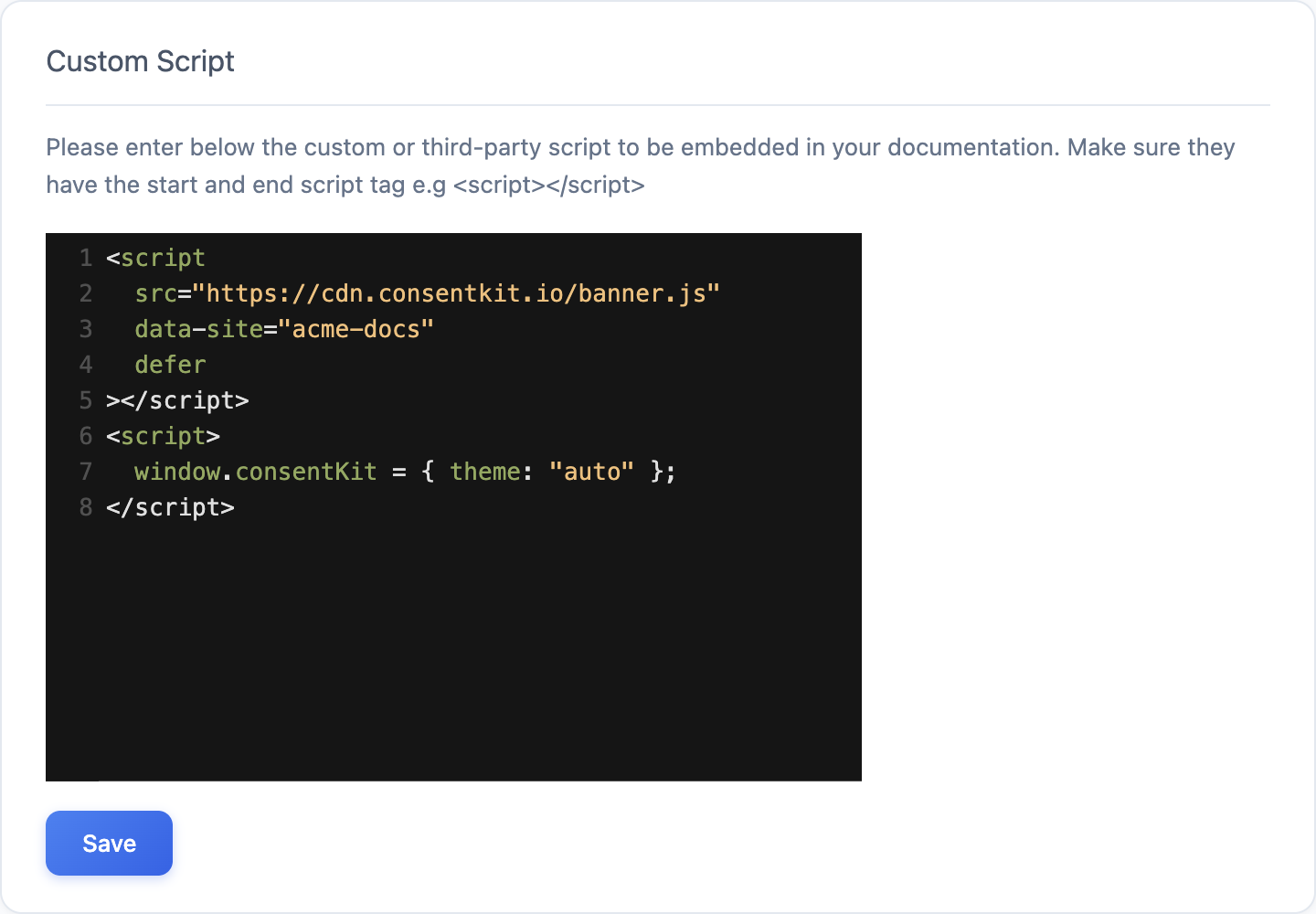
Dewstack embeds what you paste verbatim, so the snippet must be complete and well formed. The card's own instruction is to "Make sure they have the start and end script tag e.g <script></script>". An unclosed tag or a stray character can break the rest of the page's markup, which shows up as a blank or visibly broken docs site.
Change or remove a script
There is no separate Remove button on this card. To change a script, edit the editor contents and click Save. To take it off your docs site, select everything in the editor, delete it, and click Save with the field empty.
Always check your published docs site after saving, in an incognito window so you see what a reader sees.
Your script runs for every reader
Whatever you paste executes in the browser of every person who opens your documentation, on every page, with full access to the page and to your custom domain's cookies and storage. Paste only snippets you got from the vendor's own dashboard or documentation, never one copied from a forum or generated by an AI assistant. A script that loads a third-party resource also lets that third party see your readers' traffic.
Limits and plan requirements
- One script block per workspace. If you need two tools, concatenate their snippets, or load a tag manager and add the rest inside it.
- The block loads on every page of the docs site. There is no per-page or per-collection targeting.
- The Integrations sidebar entry is locked on Starter, and when you have no subscription and no active trial. In those cases clicking it opens an upgrade prompt instead of the page.
- Team members need the Integrate Workspace permission. Owners and Admins have it; Creators and Editors do not.
- The script does not run in the Dewstack dashboard or in the editor preview – only on the published site.
