Duplicating a workspace makes a second, independent documentation site with the same collections,
the same pages and most of the same look. The copy is created immediately, named
Copy <original name>, and Dewstack drops you into its editor. Nothing about the original
changes.
Duplicate a workspace
- Go to My Workspaces.
- Open the ⋮ menu on the workspace card you want to copy.
- Click Duplicate Workspace.
- In the
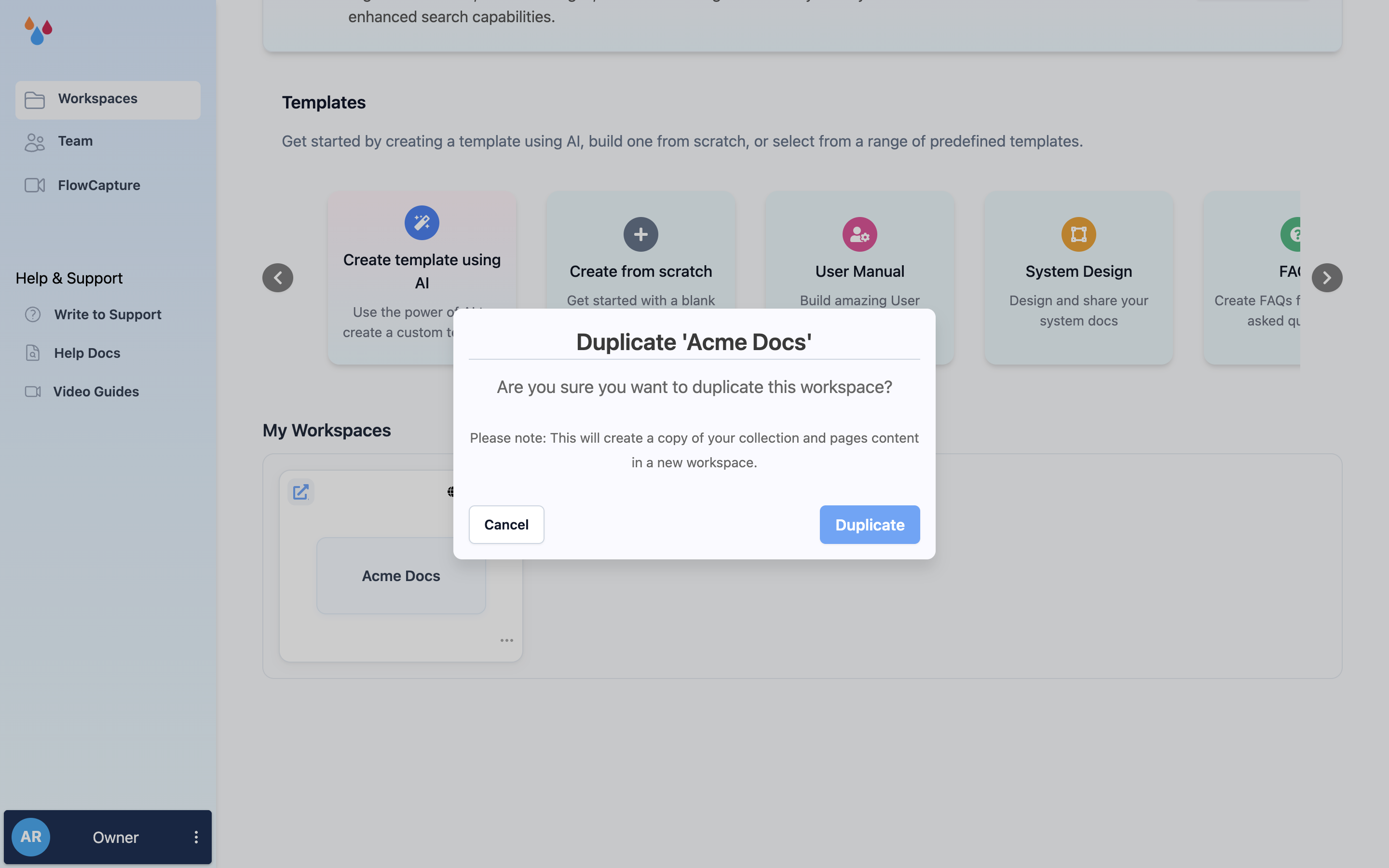
Duplicate '<name>'dialog, click Duplicate.
The dialog states what it will do – "This will create a copy of your collection and pages content in a new workspace" – and there is nothing to fill in. When it finishes you get the toast "Workspace duplication is successful." and land in the new workspace's editor.
Rename the copy from its ⋮ → Edit Workspace menu whenever you like; the Copy prefix is
just the name it starts with. See
Edit and delete a workspace.
What gets copied, and what doesn't
| Copied | Not copied |
|---|---|
| Every collection, in order, with its icon and description | The *.dewstack.com subdomain – the copy gets a new auto-generated one |
| Every page, including nesting, and each page's Draft or Published status | Any custom domain |
| Theme, logo, colours, fonts, hero and landing page, header links, social links, CTAs | Favicon, SEO meta title and description, cookie banner text |
| Table of contents, feedback and workflow toggles, language, badge setting | Page revision history, analytics, and SmartDocs training |
| The Public or Private access setting | Private link – the copy generates its own |
Slugs change in the copy
Collection and page slugs are not copied verbatim. Dewstack appends a uniqueness suffix to each
one, so a page at /docs/getting-started/install in the original ends up at a longer, uglier path
in the copy. If you plan to promote the duplicate to be your live site, edit the slugs back before
you point a domain at it – otherwise every URL you have shared will 404.
Because the copy has its own subdomain and its own private link, publishing something in it does not expose it at the original's URL. Check the copy's settings under Hosting & Visibility before you share it, especially if the original was Private.
When duplicating is the right move
- Staging a redesign. Duplicate, restructure the copy, and keep the live site untouched while you work. When the copy is right, point your custom domain at it – or export the old one and delete it.
- A per-customer or per-version variant. One workspace becomes the base; each duplicate gets the same skeleton and diverges from there. Every copy counts against your workspace limit, so check how many workspaces your plan allows first.
- A safe rehearsal. A copy is a real backup you can browse and edit, which an export is not.
There is no way to merge a copy back into the original, and no link between the two after the duplicate is made – changes on one side never appear on the other.
